API integration
Ticket Validation exposes a versioned HTTP API so you can integrate ticket imports, event configuration, and reporting with your own systems. This guide covers how to enable access from the manager web app (app.ticketvalidation.com). For every endpoint, payload, and example request, use the interactive API reference.
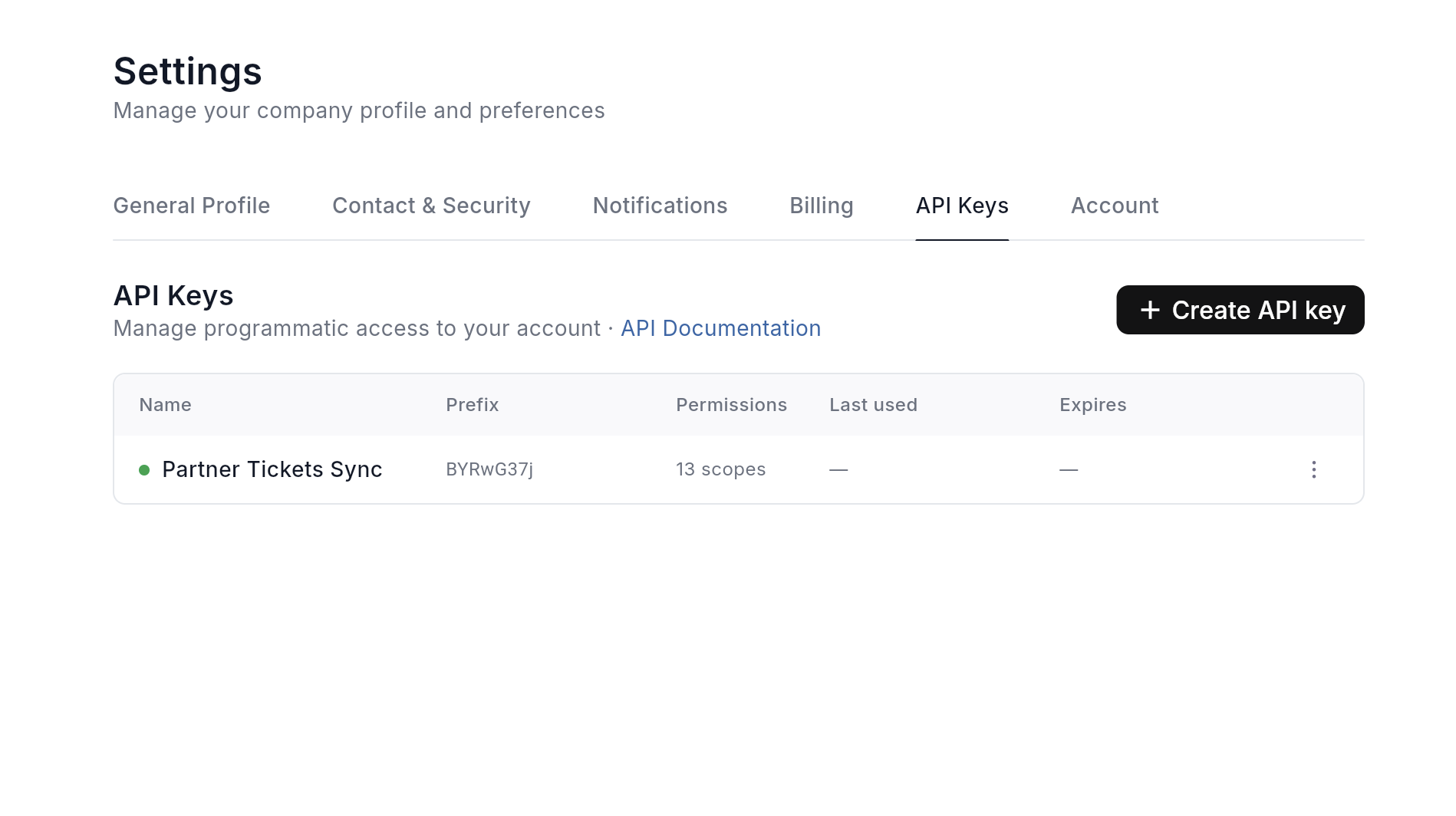
Open API keys in Settings
Sign in to the manager app as an account admin. Go to Settings and open the API Keys tab.
You can jump straight there with this link (you must be logged in):
Preview
Create a key with the right scopes
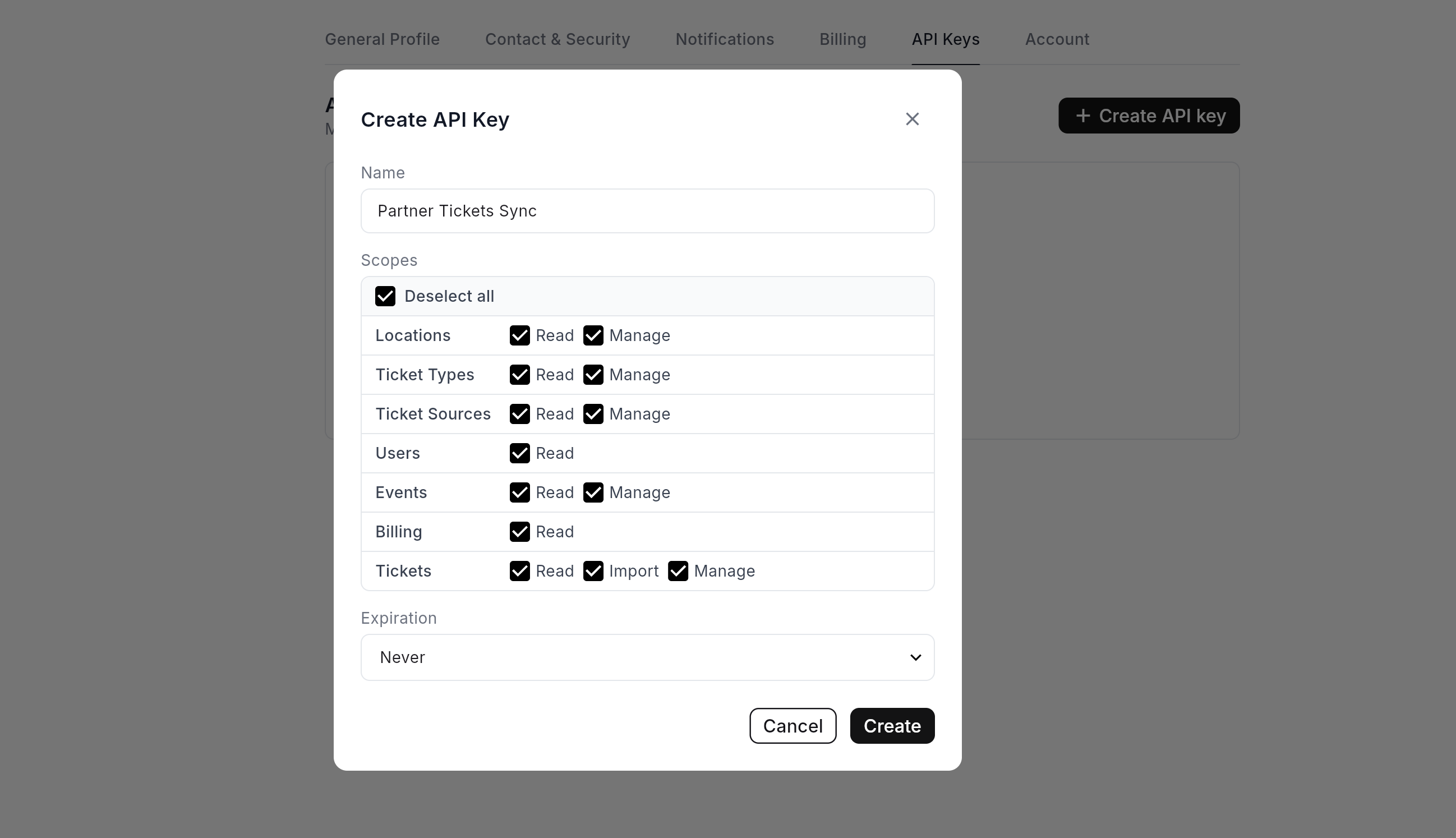
Create a new API key, give it a recognizable name, and choose scopes that match what your integration needs (for example read-only access to events versus permission to import tickets).
When the key is created, the app shows the secret once. Copy it immediately and store it in your secrets manager or environment variables. If you lose it, revoke the key and create a new one.
Preview
Call the API
Base URLs and paths are defined in the reference (for example https://api.ticketvalidation.com/integrations/v1/). Authenticate each request with your key using either an X-API-Key header or Authorization: ApiKey …, as documented there.
All request and response shapes, including pagination and error codes, are listed in the OpenAPI documentation:
api.ticketvalidation.com/docs/v1
Use the examples in the docs to validate connectivity before wiring your production jobs.
Example
# Replace YOUR_API_KEY; see the reference for exact paths.
curl -sS https://api.ticketvalidation.com/integrations/v1/events \
  -H "X-API-Key: YOUR_API_KEY" \
  -H "Accept: application/json"
Review active keys periodically. Revoke any key that is no longer needed or may have been exposed, then create a replacement with minimal scopes.
If something fails in production, check the response body from the API and compare your scopes with the operation you are calling.
Next step
Open the API reference for full endpoint coverage, schemas, and runnable examples.